Every animated clip you share faces the same fork in the road: keep it as a GIF, or make it a video? The two formats look interchangeable to viewers — short, silent, looping motion — but under the hood they could hardly be more different. Choosing correctly can mean a 95% smaller file, or the difference between an animation that autoplays and one that shows a broken icon.
The Core Difference
GIF (1987) is an image format that happens to support multiple frames. Every frame is a complete indexed-color image with at most 256 colors, compressed with 1980s-era LZW. MP4/H.264 (2003) is a true video format: it stores keyframes plus compact descriptions of how pixels move between them, in full 24-bit color, compressed with sophisticated psychovisual modeling.
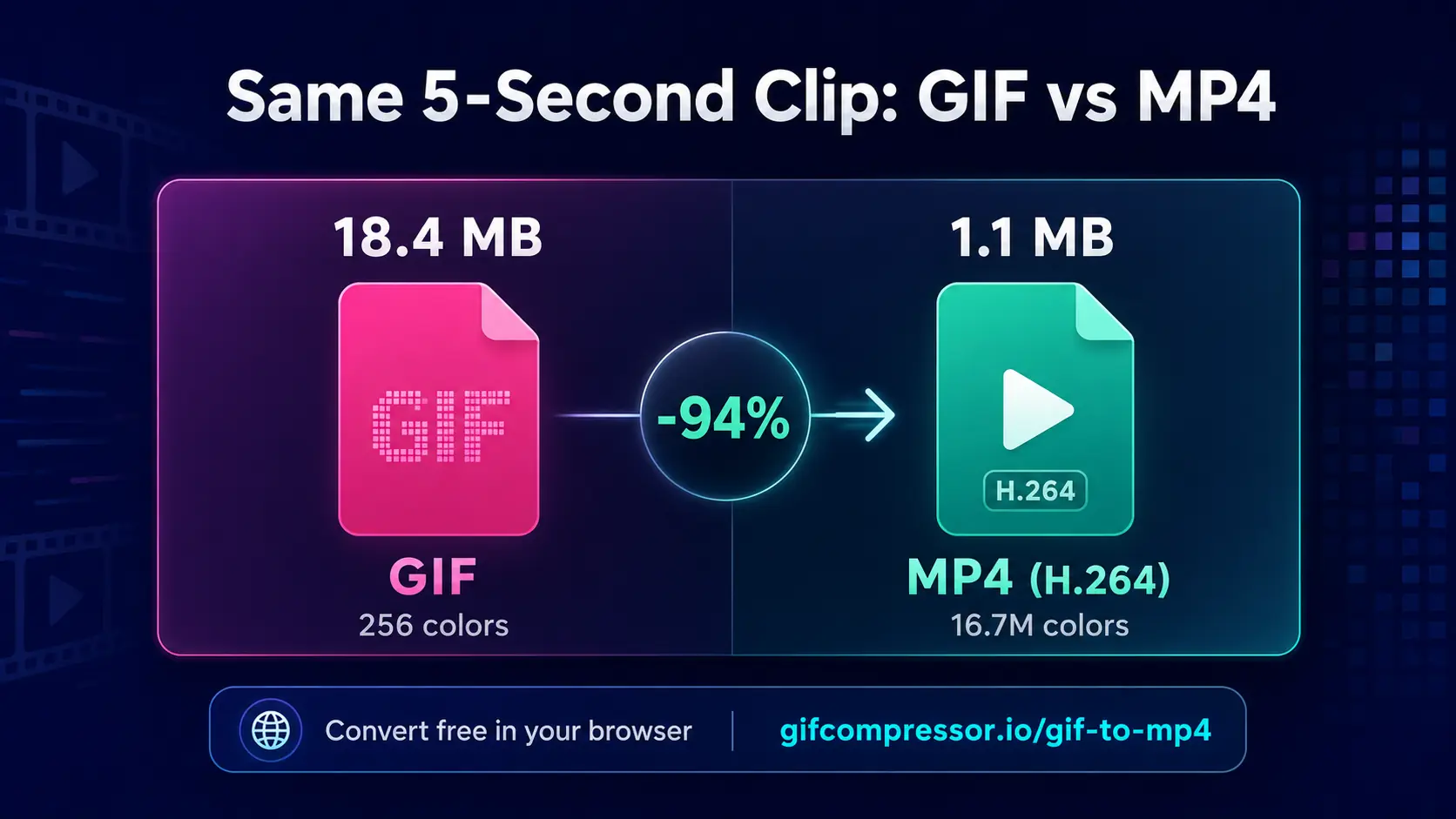
The practical consequence: the same clip as an MP4 is typically 90–95% smaller than as a GIF — or, flipped around, a GIF is 10–20× heavier for equal content, with fewer colors.
Head-to-Head Comparison
| Factor | GIF | MP4 (H.264) |
| File size (same clip) | 10–20× larger | Baseline — dramatically smaller |
| Colors | 256 per frame | 16.7 million |
| Autoplay in chats/forums | Yes, universally | Usually, platform-dependent |
| Works in email | Yes (most clients animate GIFs) | No (most clients won’t play video) |
| Works in Office docs/wikis | Yes | Rarely inline |
| Sound | Never | Optional |
| Editing/frame extraction | Trivial | Requires video tools |
| Web performance / SEO | Poor (heavy) | Excellent |
When GIF Wins
- Email: the killer GIF use case. Most email clients animate GIFs but refuse video — marketing emails live on this.
- Guaranteed autoplay: GIFs animate anywhere an image loads — READMEs, wikis, documentation, forums, office documents, support tickets.
- Legacy compatibility: 35 years of universal support. Nothing rejects a GIF.
- Simplicity: a GIF is a self-contained file needing no player, codec or controls.
When MP4 Wins
- Websites: a looping muted video element looks identical to a GIF at ~5% of the bandwidth. Your Core Web Vitals — and therefore your Google rankings — will thank you.
- Anything over ~6 seconds: GIF sizes spiral out of control with length; MP4 barely notices.
- Photographic/gradient content: GIF’s 256 colors visibly band on skies, skin and shadows. MP4 renders them perfectly.
- Size-limited uploads: squeezing under Discord’s 8 MB is far easier as MP4.
How GIF and MP4 Compare
- Quality: MP4 usually looks better because it supports millions of colors. GIF supports only 256 colors, so detailed GIFs may look blurry or grainy.
- Website Speed: Large GIFs can slow down a website and use more data. MP4 files are usually smaller and load faster.
- Autoplay and Looping: GIFs play and repeat automatically wherever images are supported. MP4 videos can do the same with the correct website settings.
- Mobile Performance: MP4 uses less data, making it better for mobile users. GIFs are suitable for short clips but may load slowly when they are longer.
- Accessibility: Constant animation may distract some visitors. MP4 allows users to pause the video, while GIFs usually keep looping automatically.
The Best Strategy: Use Both
Professionals don’t pick a side — they convert per destination. Keep a master clip, then: MP4 for the website and social, GIF for the email campaign and the README. Our free converters handle both directions locally in your browser: GIF to MP4 for instant 90%+ savings, and MP4 to GIF (or any video to GIF) with professional palette optimization when you need the classic format. And whenever you must ship a GIF, run it through the GIF compressor first — the format is heavy, but it doesn’t have to be that heavy.
Frequently Asked Questions
Is GIF or MP4 better quality?
MP4 offers better quality because it supports millions of colors and smoother motion. GIF works best for simple animations with limited colors.
What are the disadvantages of a GIF file?
GIFs have limited colors, large file sizes and no sound. Long animations may also load slowly and reduce website performance.
Are GIF files bigger than MP4?
Yes, GIF files are usually much bigger. Converting the same clip to MP4 can often reduce its size by 80–95%.
Is GIF better than video?
GIF is better for email, documentation and guaranteed autoplay. Video is better for websites, longer clips and high-quality animated content.
Why does GIF lose quality?
GIF supports only 256 colors per frame. Extra colors must be removed or approximated, which can cause graininess, banding and inaccurate shades.
Is a GIF an MP4?
No. GIF is an animated image format, while MP4 is a video container that can support high-quality video and sound.
Can GIFs be 1080p?
GIFs can use 1080p dimensions, but the files may become extremely large. MP4 is a more practical format for full-HD content.
What is replacing GIFs?
MP4, WebM and animated WebP are increasingly replacing GIFs online. These formats provide better quality and smaller file sizes.
What are the disadvantages of MP4?
MP4 does not work properly inside most email clients and may require a video player. Autoplay can also be blocked when sound is enabled.
Can I convert an MP4 to a GIF?
Yes. Use an MP4-to-GIF converter, trim the clip and reduce its dimensions to prevent the resulting GIF from becoming unnecessarily large.
Verdict
Default to MP4 for the open web, and reach for GIF where guaranteed, player-free animation matters — email, docs and maximum-compatibility contexts. The format war has no winner because it’s really a division of labor.
Leave a Reply